Progress Tracker
The Progress Tracker helps you view how students are moving through coursework in your class. It gives you a quick snapshot of what content a student has accessed, while also pointing you toward more detailed performance information when needed.
What the Progress Tracker Shows
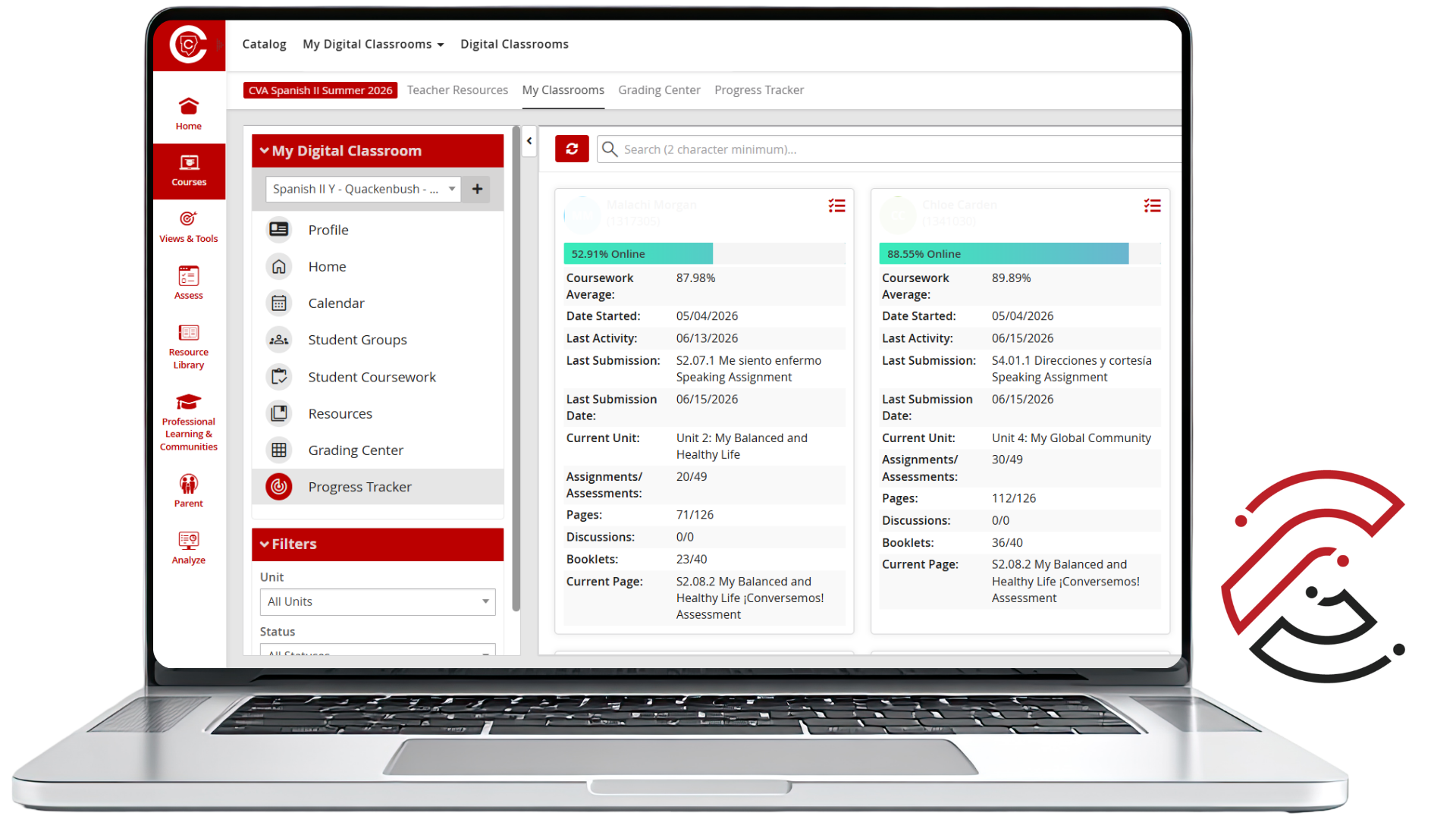
The Progress Tracker allows you to see your students' progress in your class. The tile for each student indicates what content the student has accessed. Use it as a starting point when reviewing student engagement in the course.
How to Read the Tile
Progress Bar
Shows how much coursework the student has opened, not their Coursework Average and not the percentage of submitted work.
Coursework Average
Shows the student's current average score in the class, according to the CTLS Grading Center. This is not the gradebook of record; however, a student's average in the CTLS Grading Center should match the grade in StudentVUE/Synergy.
Assignments and Assessments
Shows that the assignment or assessment has been opened, not submitted.
Engagement Snapshot
The tiles will alert you to the Date Started and the Last Activity Date. Useful for seeing course access, but not enough on its own to measure performance.
Detailed Student Performance Data
This screen gives you a more meaningful view of student performance than the overview tile alone. Each student tile gives you a quick overview of course access and activity. Use it as a starting point when reviewing student engagement in the course.
Click the Red Icon
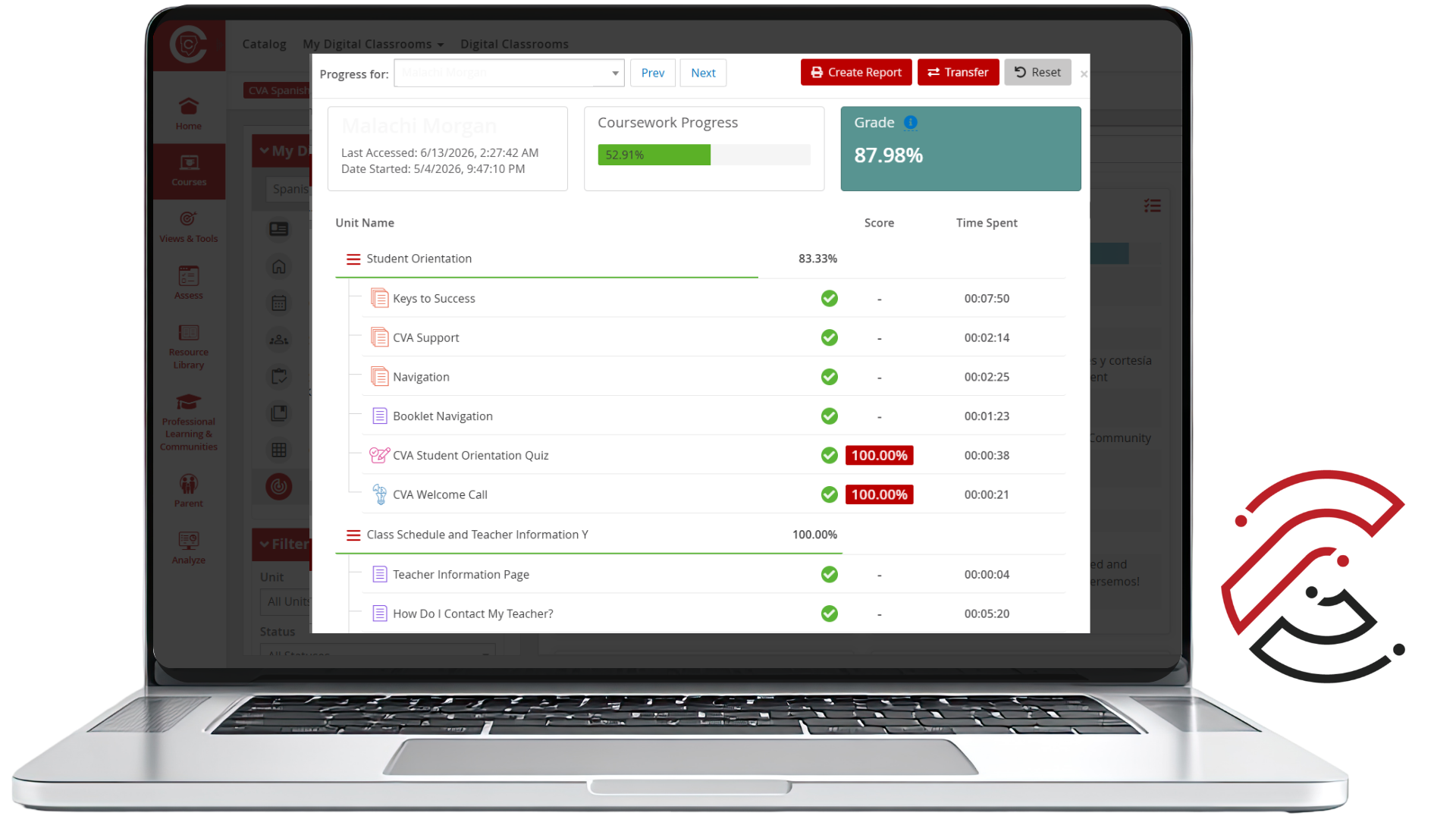
Use the red icon in the upper-right corner of the student tile to open the student-specific progress screen.
Review Student Performance
The individual student tiles will alert you to the Date Started and the Last Activity Date. You will also be able to tell what Unit they are currently on, Page, and how many Assignments/Assessments, Pages, and Discussions they have completed. On the individual student screen, you can see the student’s Coursework Average, Grades on individual Assignments, and the Time Spent on each lesson and assignment.
What to Remember
Progress Tracker shows access, not mastery.
The percentage bar is not a course grade.
Opened does not mean submitted.
Use the individual student view for more meaningful performance data.
Use Progress Tracker as a Starting Point
The Progress Tracker is helpful for monitoring access and activity, but it should not be used by itself to judge student success.