Accessing the Course
Inside the course, you will find training materials and useful information, along with the teaching and learning expectations for CVA and New Teacher Onboarding resources.
Professional Learning Course
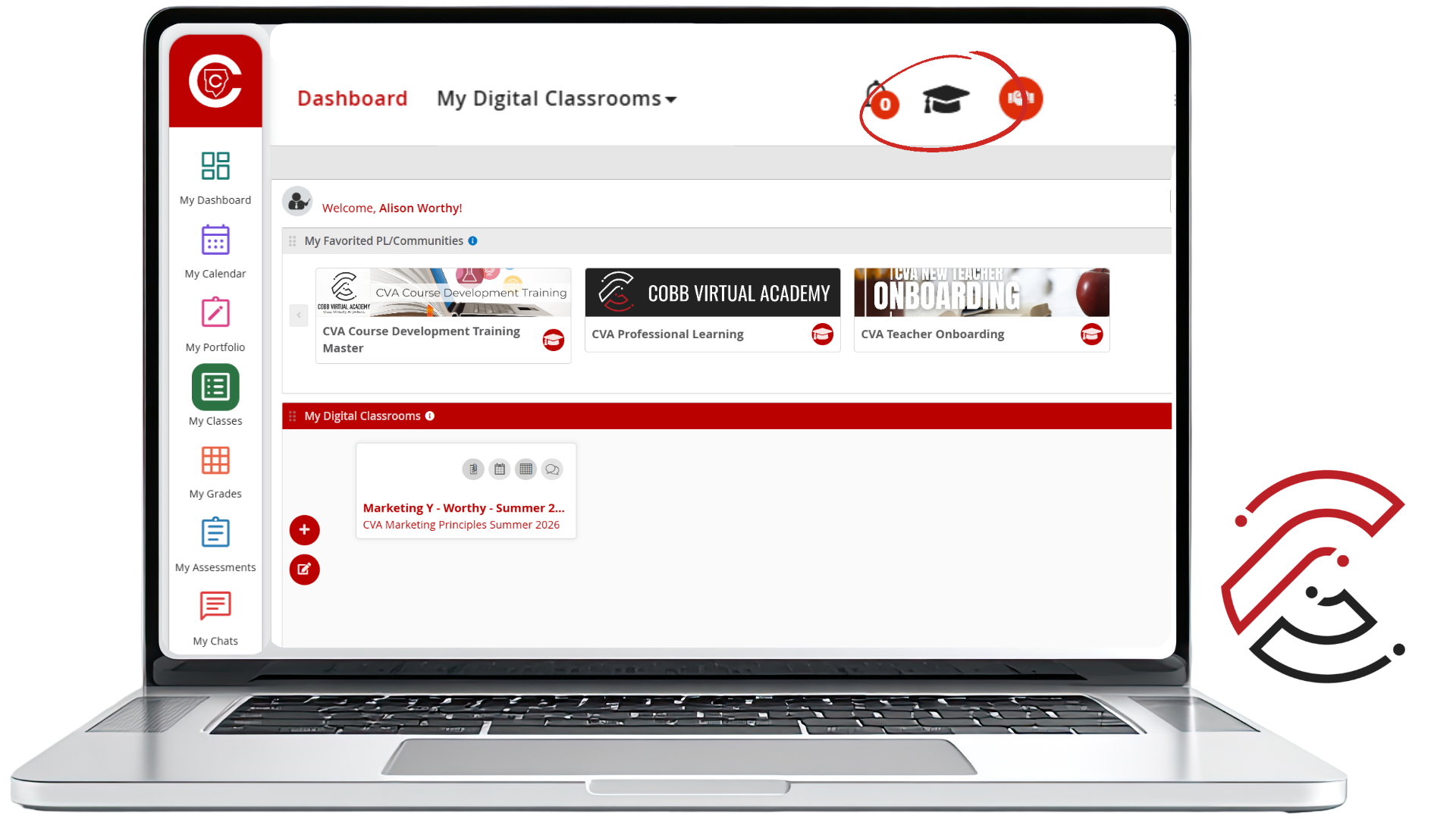
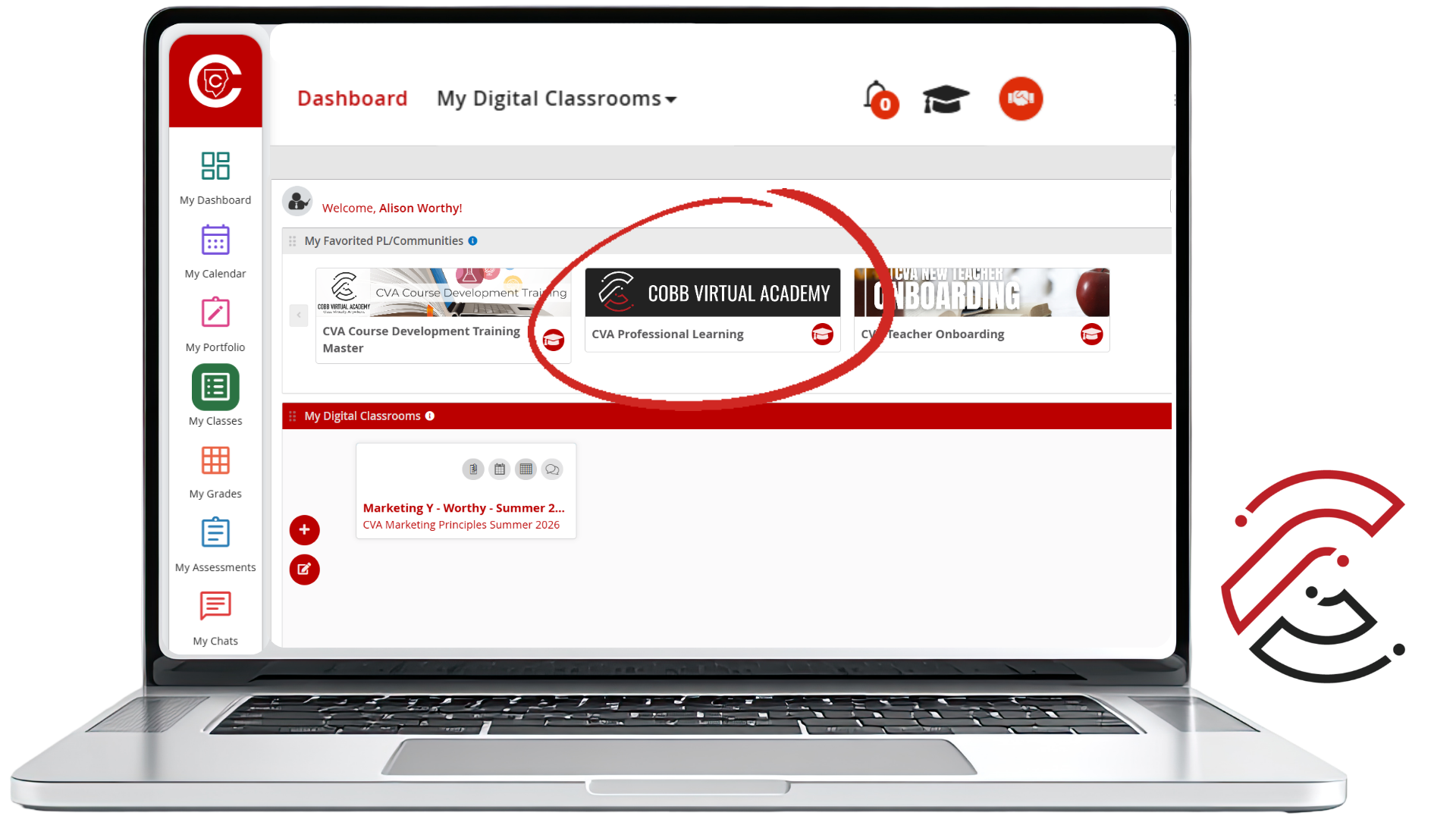
After logging in to CTLS, select the Graduation Cap icon to view your Professional Learning Courses. Then click on the CVA Professional Learning course.
How to Access the Course
Use the steps below to locate and open the CVA New Teacher Training course in CTLS.
Log in to CTLS
Log in to CTLS and open your Dashboard.
Click the image to enlarge.

Select the Graduation Cap Icon
Select the Graduation Cap icon to view your Professional Learning Courses.
Click the image to enlarge.
Open CVA Professional Learning Course
Click on the CVA Professional Learning course to begin.
Click the image to enlarge.
What You Will Find
The training course is organized to help you move through each section while also giving you the information and resources you need for onboarding.
Return to Each Part
You will find links back to each part of the training so you can review content when needed.
Know the Goal
Learning Targets help clarify what you should understand or be able to do in each section.
Connect to Expectations
Standards Alignment explains how the training connects to the expectations for your role.
Essential Questions
Guided Notes with Essential Questions are provided for each section to help you focus your learning.
Course Access
You will have access to the CVA Professional Learning course each new term.